













Ask your peers and the Preservica team about anything application or digital preservation related!
Recently active
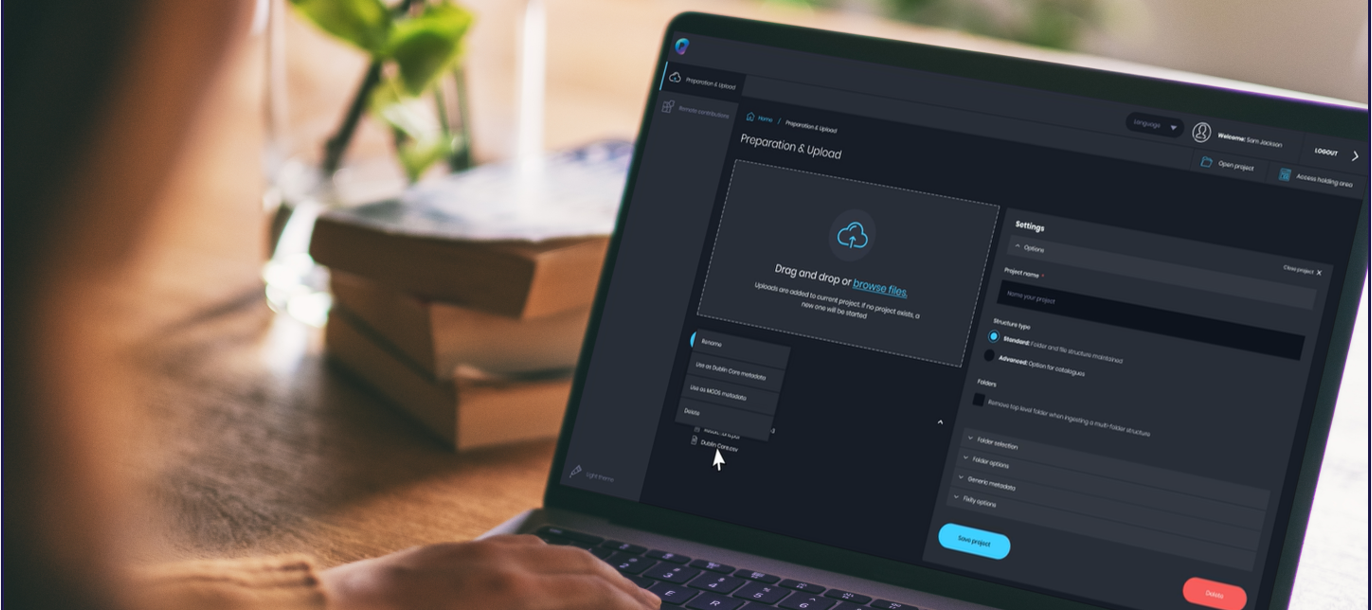
I’m trying to upload a folder with files and a .csv metadata file using the Dublin Core template from the starter website. I keep getting a message saying “There was a problem with your ingest package. The ingest package must include a CSV metadata file in your chosen upload folder.” The folder I’m trying to upload does contain a CSV metadata file. Thank you for your help. Polly
I’m saving our press releases that are emailed to staff and faculty with a link. The link takes you to a webpage where the release is posted. I can use Conifer to record the webpage and ingest it into Preservica, but for the best discoverability, it would be nice if these articles could be OCR’d. It doesn’t seem like that’s a feature in Starter, which I understand. How are other Starter users compensating for this?My own methods, so far: If there’s a photo (which is most of the tme) is to make subject headings of the people identified. I had an article where the photo only named one person, but the article named seven or eight others. I decided to list the names in the Description field of my DC metadata. Don’t ask me why. I’m trying different approaches.Am I missing something obvious or do you have better methods?
I’m trying to upload a file with metadata, and I’m getting a message that says there is not a CSV file. But - there is a CSV file in the folder with pdf file. Anyone else having this issue?
Hello,Our public portal page for the National Railway Heritage Awards (Starter Edition) has a 500: Internal Error message. Is there something I need to do to get it going again? 500: Internal Server Error (preservica.com)
Is it possible to set particular assets so that they don’t have permission for viewers to download them, please?Normally this isn’t an issue but for some of our oral history recordings the permissions given are for archiving and access for research purposes. These assets shouldn’t ideally be able to be downloaded by individuals as the permission for recording and storage does not cover that.Thanks,Mark NormanFounding CuratorThe Folklore Library and Archivewww.folklorelibrary.com
I am using Preservica starter as a platform to provide metadata for by the Digital Public Library of America. I was under the impression that Starter was set up with OAI-PMH friendly parameters, but the State Library of Ohio cannot find the proper OAI-PMH URI to gain access to the collection. I need help ASAP. This work was funded by a state grant and time is of the essence!Thank You!
Pretty sure I know the answer to this already, but: is there some way to get a breakdown of files with file sizes in one’s Starter Plus instance? I can do this file-by-file by looking at preservation history, and I can sort of do it folder-by-folder by presenting assets as a list, but obviously neither solution is really practicable at scale. (Context: I am trying to see how much space a group of raw camera images is taking up.) It would be extremely useful for space management purposes if there was something like this to assist with file appraisal.Thanks,Brad Houston, City Records OfficerMilwaukee Municipal Research Center
Is is possible to customize the public portal at all in Preservica Starter? (If so, how?) Or is that limited to the other editions and/or to Universal Access?
It’s lovely to be able to sort ASSETS in Starter’s Staff interface, but I would like to be able to sort folders (especially by alpha). Anyone else find this to be a useful feature in a product update?
I am using Preservica Starter Plus. I uploaded a document on 10/22/22 (or thereabouts). The document uploaded but the box in the lower right claims it was not ingested. Do I need to find it and upload a second time? How do I find out which file it is?
I’ve been playing around with Starter edition in order to get a sense of what a full instance (Professional/Enterprise) would be like, and I’m starting to realise that they’re two very different products? Would I be correct in thinking that the logical data model and ingest/preservation workflows do not really apply here to the starter edition?
I am trying to complete the Getting Started With Starter training activities. One of the instructions is to “click on Browse Archive” in the Public Portal. I don’t see a “browse archive” option, but I do see a “browse collection” option, so I clicked on that. It keeps resulting in an error that says “404: This page could not be found.” Does anyone know what causes this? Also, am I doing the correct thing by clicking on “browse collection,” since I don’t seem to have a “browse archive” option?
I’ve checked several assets in multiple collections. The “view public” link from an asset in the staff interface results in a 404 error. The public version of the asset can still be accessed through navigation of the public portal.
How do I get the pop-up for the training program to go away? I have already signed up.
This keeps cropping up on media that I was previously able to access. I have restarted the browser and the program and it is still happening. Any clues?
Hello, Our public portal has had an internal server error message all weekend. Is this happening product-wide? Or is there something I need to fix for our instance? Thanks!
I would like some guidance and have worked with Aubrey once before. Is she still available?
Hi Everyone,I have a quantity of building plans that I have uploaded into Preservica as TIFFs. As you can imagine, they are pretty large files. I wanted to download one of them and when I went to download the True Original, I got a Notepad file filled with random characters. I need to know that I can get to these files whenever I need them so this is not ideal. Any advice for a confused archivist?Thanks!Ashley
We recently uploaded content to our archive and all of it provides the following error message:The request could not be understood by the server due to malformed syntax.The first item we uploaded months ago still opens fine.
Hi All We are currently working on a new feature enabling you to bulk ingest assets and metadata into Preservica using a CSV file. It would be great if you could take a couple of minutes to answer a short survey, so we can learn more about your requirements and develop a solution that truly meets your needs. The survey will close on Friday, 12th November 2021. Please complete the short survey here Thanks in advance. MichaelaProduct Director, User Value
Hi Team, I am new to Preservice, We need to upload documents to Preservica from custom application. I am try to find API for document upload. Would you please suggest or share the API details for Document upload. Regards,Durga.
Hi folks, Does anyone know where exactly I can browse the add-ons and features available with Starter (both free and for purchase)? Thanks!Julia
Question about PDF creation: I don’t have Adobe available to me through my institution (cost-prohibitive, they tell me), so they encourage me to eitherUse FoxIt or Save as Microsoft PDFThoughts, suggestions?
I’m trying to delete an empty folder I no longer need in my collection, but I keep getting the error message “Deletion request failed.” When I click into Home > Parent Folder, the folder I attempted to delete is no longer there, but I can still see/click/access it on the side menu. Is there a step I’m missing here?
Our organization has recently adopted Google Drive for consistent storage. I can’t seem to upload Google Docs to Preservica. It would seem from browsing the community hub that Google Docs are not even documents! Does this mean I have to have a parallel storage of Microsoft Office to upload?
Already have an account? Login
No account yet? Create an account
Enter your E-mail address. We'll send you an e-mail with instructions to reset your password.