
Question

Why are my tiffs converting to jpg?

  • December 1, 2025
  • 4 replies
  • 390 views

Forum|alt.badge.img

Hello all! I am ingesting some image files. I have these files scanned as .tifs but when I ingest them into Preservica they seem to convert to .jpgs. I am basing this on the file size changing (becoming smaller) in the metadata, and also on the assets downloading as .jpgs. I am using Starter edition and I want my files to be saved as .tif. I'd also like the option to download them as .tif or .jpg. 

 

4 replies

lcoufal
Forum|alt.badge.img+8
  • Inspiring
  • December 1, 2025

Hi,

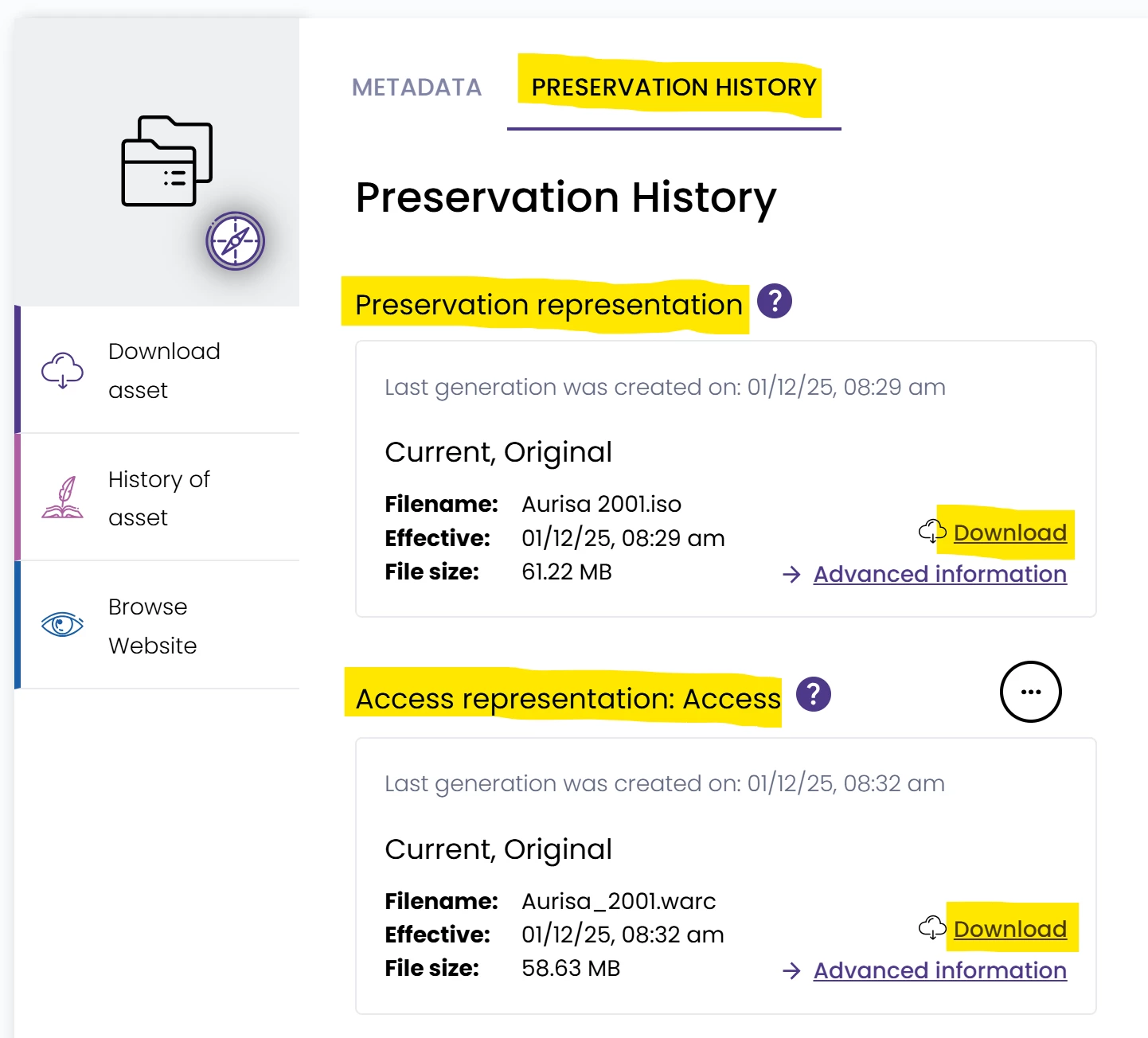
Your .tif files are always saved, and then the .jpg files are created as access copies, in addition. You can check that, and also download both, from the Preservation History tab.


Forum|alt.badge.img
  • Author
  • New Participant
  • December 1, 2025

I knew it had to be something simple that I was missing! Thanks so much for your help!!


  • Preservica Employee
  • December 3, 2025

Thanks Libor!

As for why this is happening, you likely have a migration policy (‘Preservation’ screen in NGI) set up to create access copies on ingest. We set that up by default (there are default rule sets for different types of content) because it’s usually a much better experience if you want to browse that content or expose it through Portal/UA.


  • New Participant
  • September 29, 2026

Hi, we are struggling with this as well as far as tif and jpeg. We have loaded up a tif, Preservica made a jpeg from it. When we go to Preservation History, we can see both our uploaded tif as the preservation copy and the jpg Preservica made as the Access copy. 

However, in Explorer, all we can see is the jpg. We need to edit some metadata on the tif file that we uploaded. Where is the tif file we uploaded and how do we get to it to edit the metadata? All that shows in explorer seems to be the jpeg copy. We need some of the metadata on the jpg to be different from the metadata on the tif.

We have Starter Plus. Thanks!