
1.1 Login to Starter using your email address and Password.
The Home screen will display.
1.2 Navigate to the folder/sub-folder that you want to delete.

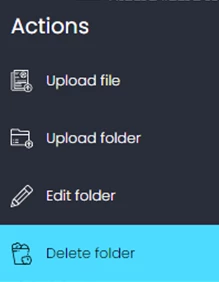
1.3 Select the folder/sub-folder, right-click and select Delete folder.
Note: Deleting a folder will also delete all the content in the folder.
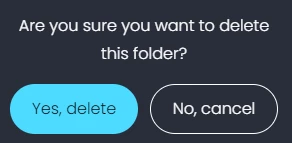
1.4 A pop-up message will display asking to confirm the deletion. Click Yes, delete.
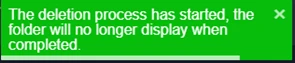
1.5 A message will display in the bottom right-hand corner confirming the action.
1.6 The folder will be deleted, along with any content that was in the folder. You may have to refresh the screen to update.